Platform Overview
GrantCore.ai is an AI-powered grant management platform designed to help researchers, academics, and organizations streamline the entire grant lifecycle — from discovering funding opportunities to managing awarded grants.
Key Capabilities
- Capability Profiling — Build a comprehensive research profile that AI uses to match you with the right funding
- Intelligent Funding Discovery — Browse 90+ programs across 15+ funders worldwide, with AI-powered matchmaking
- Automated Opportunity Alerts — RSS feeds and webpage monitoring automatically detect new funding opportunities
- AI Eligibility Checking — Instant analysis of your eligibility for any program before you invest time applying
- Smart Proposal Construction — AI-assisted gap analysis, argument building, and compliance checking
- Peer Review Simulation — AI simulates reviewer scoring to predict your application's success
- Post-Award Management — Track milestones, deliverables, budgets, claims, and team collaboration
- Multilingual Support — Available in English, French, German, Spanish, Italian, Portuguese, and Arabic
Table of Contents
1. Getting Started
To start using GrantCore.ai:
- Register at the login page with your name, email, and password
- Complete your profile — the platform will guide you through 8 profile sections
- Explore funding — browse programs, run the AI matchmaker, or set up opportunity alerts
- Create a bid — start a new grant application and let AI help you build a winning proposal
Tip: Complete your profile as thoroughly as possible. The AI matchmaker and eligibility checker use your profile data to provide accurate recommendations.
1 Command Centre (Dashboard)
The Command Centre is your home base. It provides an overview of your grant workflow progress, recent applications, upcoming deadlines, and quick access to all platform features.
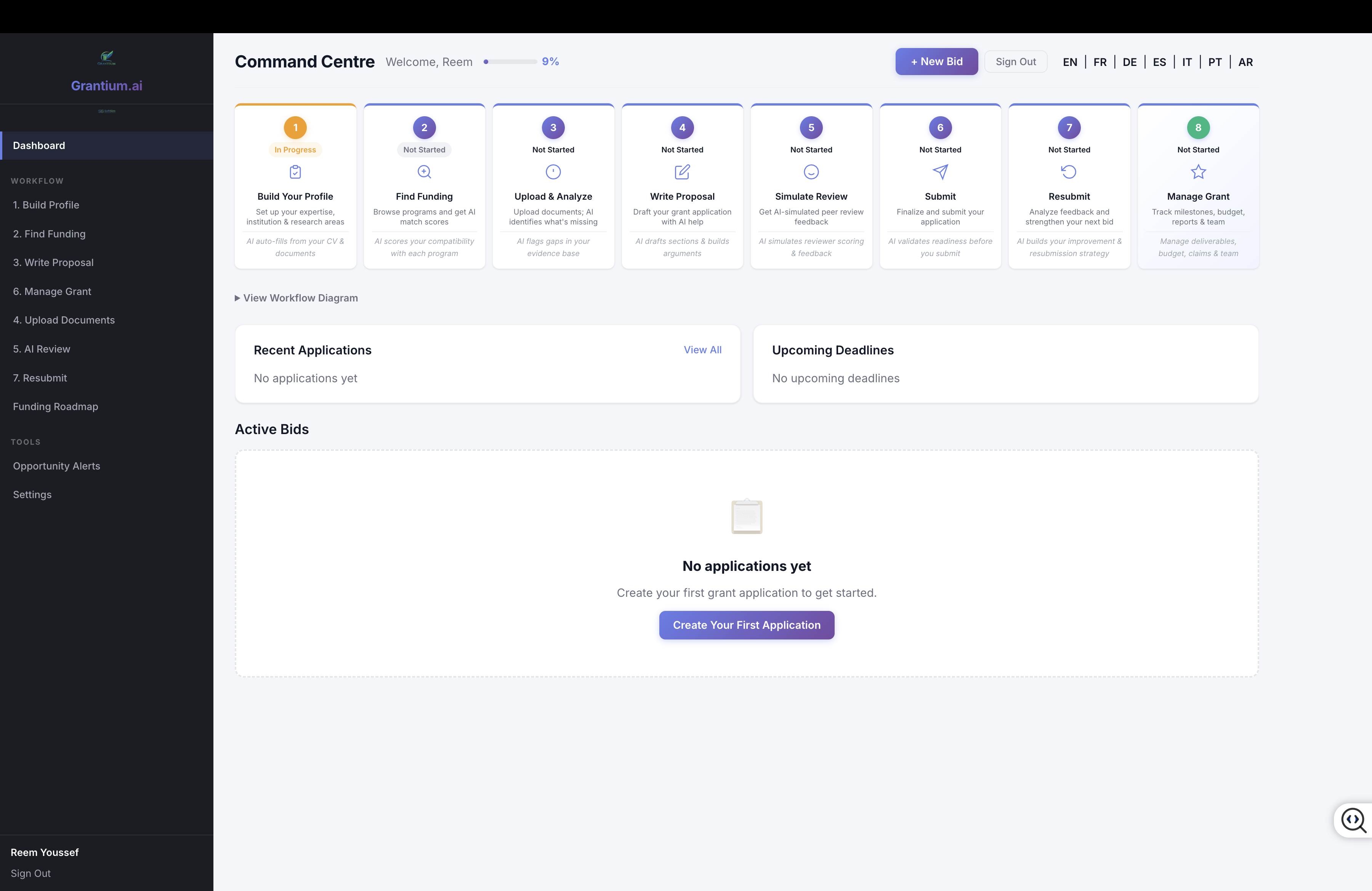
The Command Centre showing the 8-step workflow cards, sidebar navigation, and empty state for new users.
Workflow Step Cards
The top of the dashboard shows 8 workflow step cards that track your progress:
- Build Your Profile — Complete your capability profile with skills, track record, and credentials
- Find Funding — Search and match with relevant funding programs
- Upload & Analyze — Upload documents and evidence for gap analysis
- Write Proposal — Construct your proposal with AI-assisted argument building
- Simulate Review — Run AI peer review simulation to predict reviewer reactions
- Submit — Final validation and submission readiness check
- Resubmit — If needed, use reviewer feedback to improve and resubmit
- Manage Grant — Post-award tracking of milestones, budget, and deliverables
Each card shows its current status (Not Started, In Progress, or Complete) and a brief AI helper description.
Sidebar Navigation
The left sidebar is organized into two groups:
- WORKFLOW — The main grant lifecycle steps: Build Profile, Find Funding, Write Proposal, Manage Grant, Upload Documents, AI Review, and Resubmit
- TOOLS — Supporting features: Opportunity Alerts and Settings
Plus a Funding Roadmap link for strategic planning.
Quick Actions
- + New Application button — Opens the Create Application dialog to start a new application
- Language toggle — Switch between 7 supported languages
- Progress bar — Shows overall profile completeness percentage
2 Creating a New Application
Click the + New Application button on the dashboard to open the Create Application dialog.
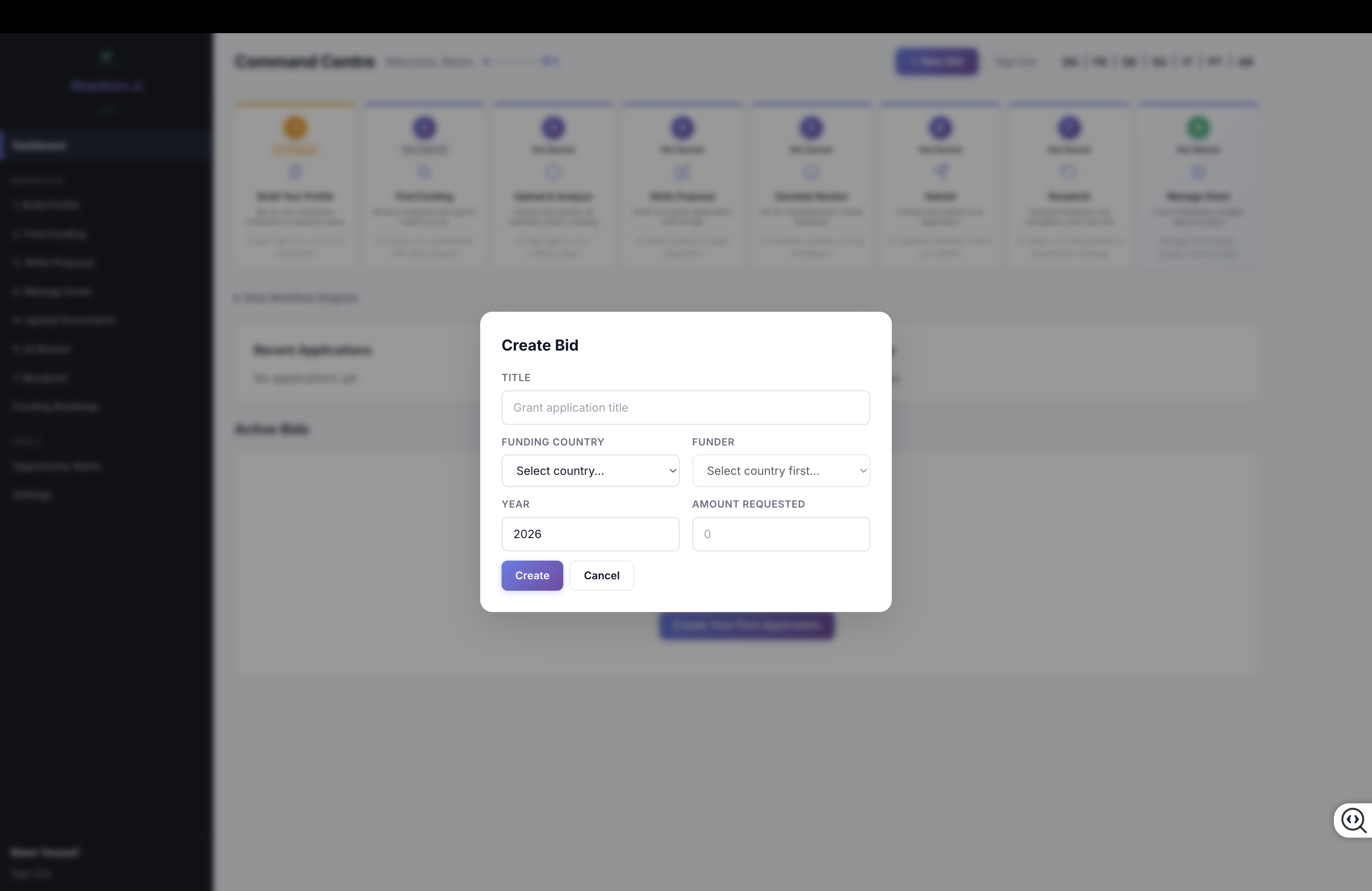
The Create Application dialog with cascading country, funder, and program selection.
Fields
- Title — A descriptive name for your grant application
- Funding Country — Select the country/region (Canada, US, EU, UK, France, Germany, Australia, etc.)
- Funder — Automatically populated based on country selection (e.g., CIHR, NSERC for Canada; NSF, NIH for US)
- Program — Optionally select a specific program from the funder's offerings
- Year — The funding year
- Amount Requested ($) — The funding amount you plan to request
Tip: If your funder isn't listed, select "Other" and enter the funder name manually. You can also use the Find Funding page to discover programs and apply directly from there.
3 Building Your Capability Profile
Your Capability Profile is the foundation of GrantCore.ai. It stores your research credentials, organizational information, financial history, and funding preferences. The AI uses this data for matchmaking, eligibility checking, and proposal assistance.
The profile has 8 tabs, each collecting different types of information. A completeness bar at the top tracks your overall progress.
4.1 Personal Info
Your basic identity and research credentials.
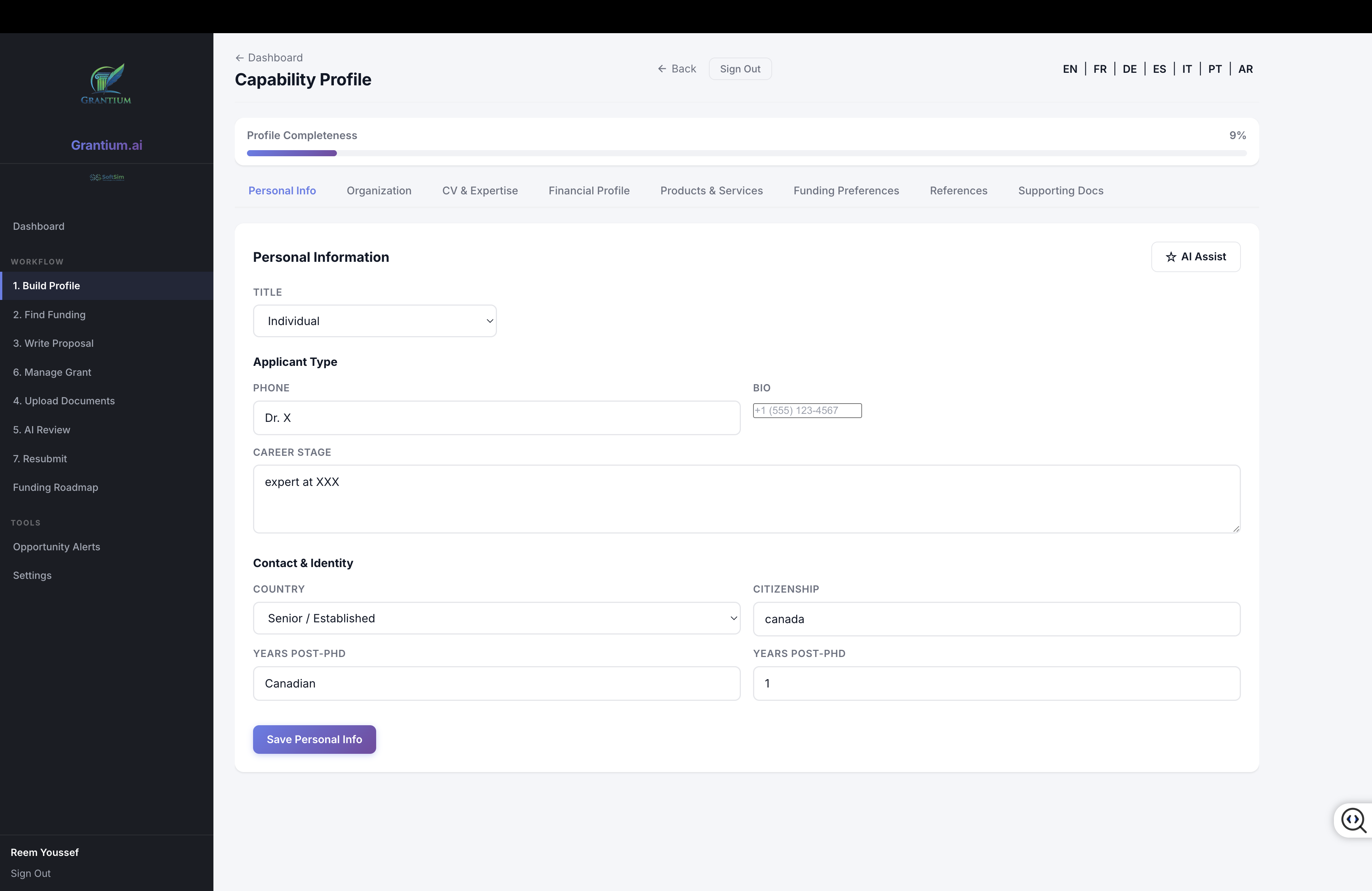
Personal Info tab showing applicant type, contact details, and career stage.
- Applicant Type — Individual, Organization, or Collaboration
- Title, Phone, Bio — Basic contact and identity information
- Career Stage — Student, Early Career, Mid-Career, or Senior/Established
- Country, Citizenship — Your location and citizenship status
- Years Post-PhD — Important for early career researcher eligibility
4.2 Organization
Details about your home institution or organization.
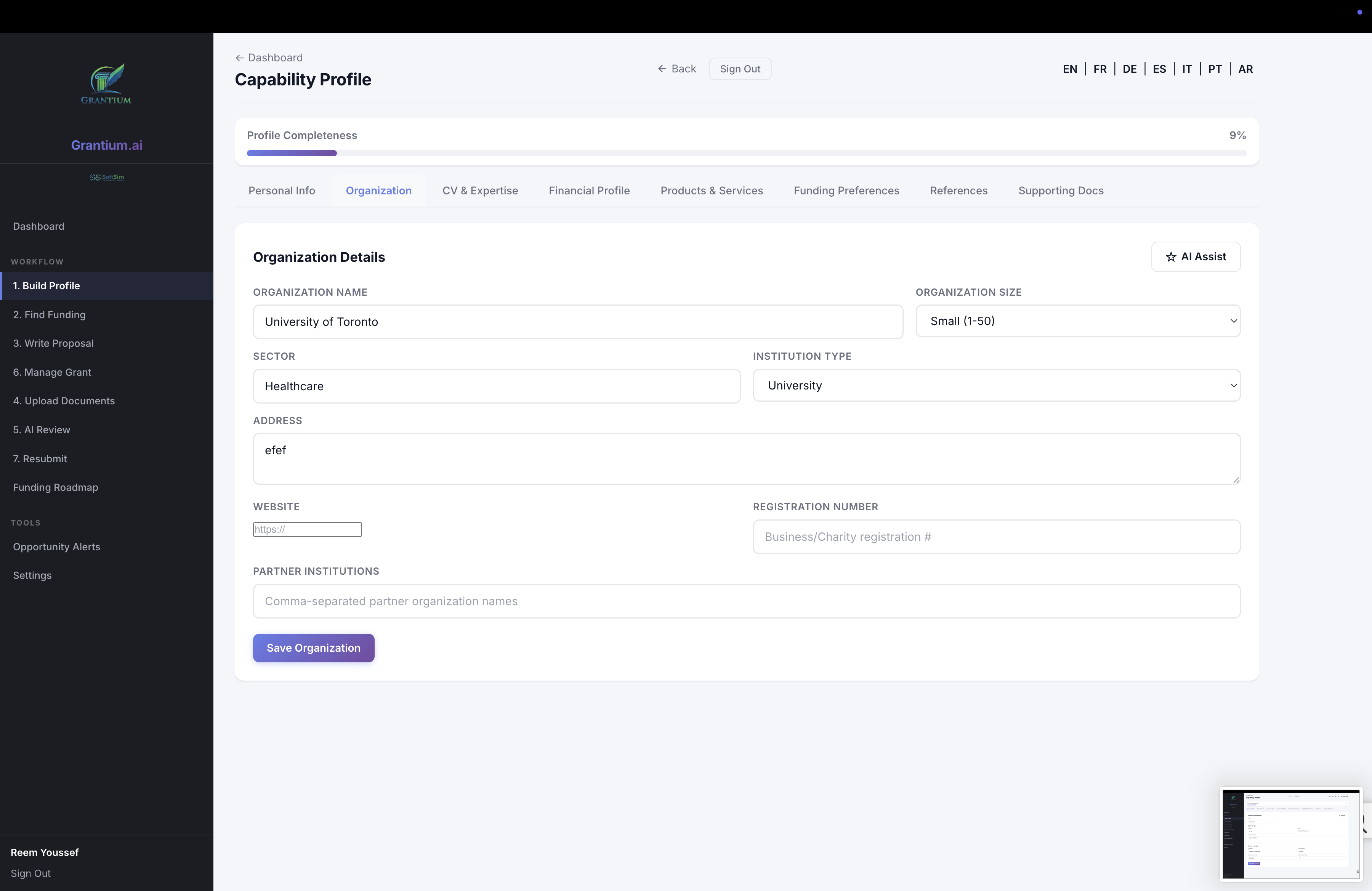
Organization tab with institution details, sector, and partner institutions.
- Organization Name — Your university, company, or institute
- Size — Small (1-50), Medium (51-250), Large (250+)
- Sector — Academic, Healthcare, Technology, Government, etc.
- Institution Type — University, Hospital, Company, Non-Profit, etc.
- Address, Website, Registration Number — Official organization details
- Partner Institutions — Collaborating organizations
4.3 CV & Expertise
Your academic qualifications and research track record.
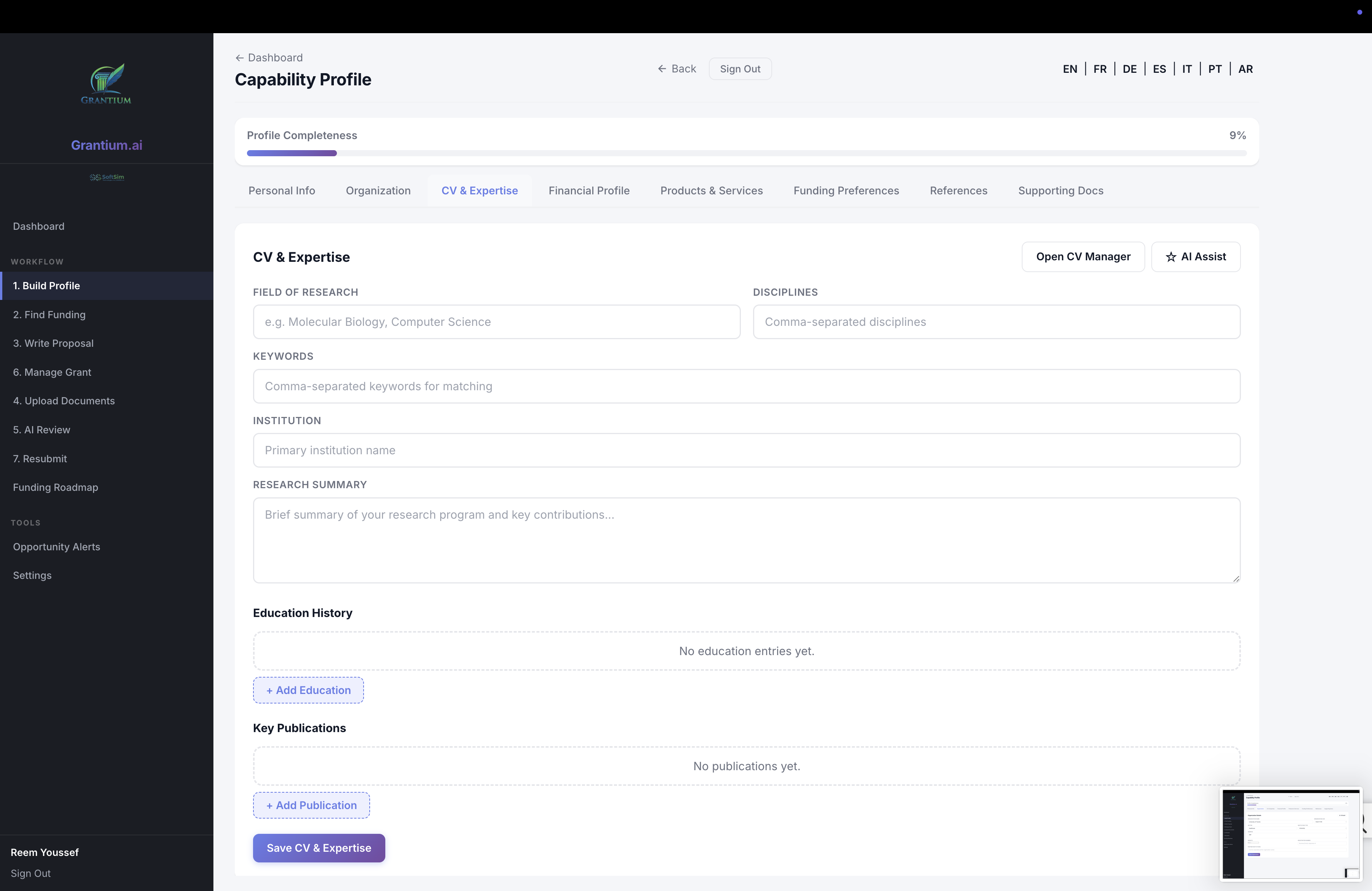
CV & Expertise tab with field of research, education history, and publications.
- Field of Research — Your primary research domain
- Disciplines — Specific sub-disciplines
- Keywords — Research keywords for AI matching
- Institution — Current affiliation
- Research Summary — A narrative description of your research program
- Education History — Degrees, institutions, years (add multiple entries)
- Key Publications — Important publications with titles, journals, and years
4.4 Financial Profile
Your funding history and budget experience.
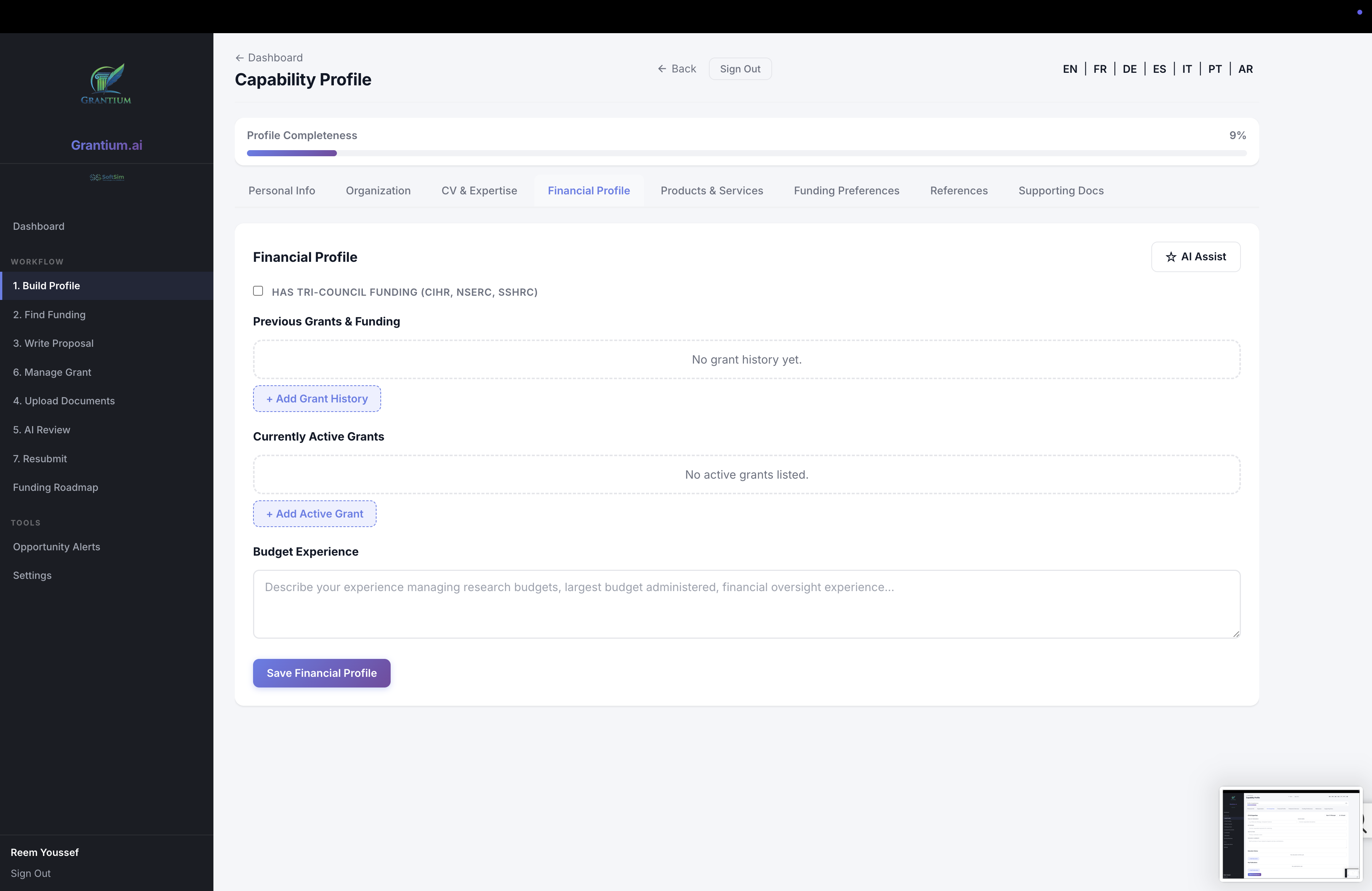
Financial Profile showing previous grants, active funding, and budget experience.
- Tri-Council Funding — Checkbox for Canadian Tri-Council eligibility
- Previous Grants & Funding — Historical funding with funder, amount, program, year, and status
- Currently Active Grants — Ongoing funded projects with title, amount, funder, and end date
- Budget Experience — Description of your budget management experience
4.5 Products & Services
For industry-oriented applicants: your commercial offerings and IP portfolio.
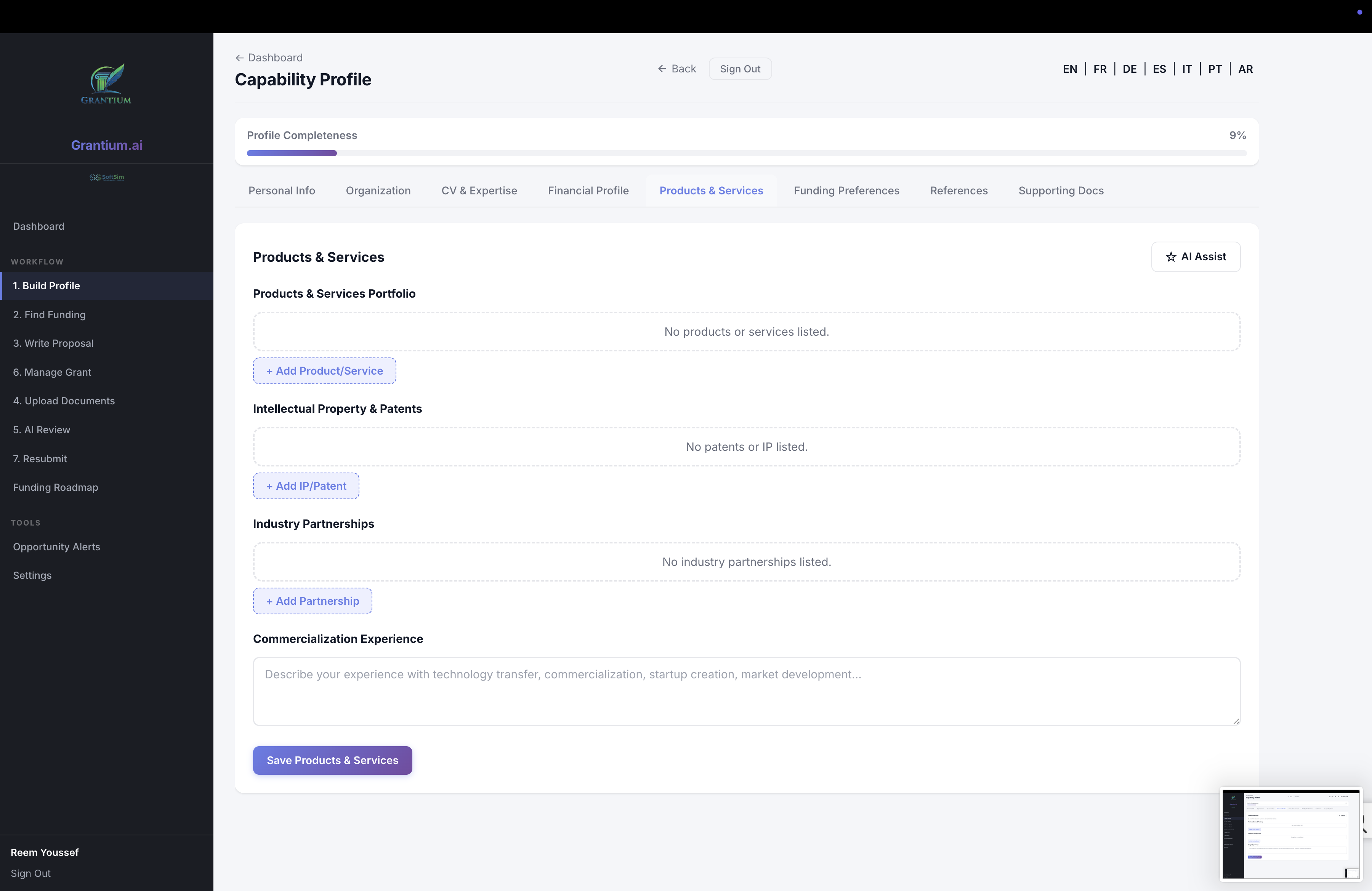
Products & Services tab with product portfolio, patents, and industry partnerships.
- Products Portfolio — Products or services with name, description, type, and status
- IP & Patents — Intellectual property with title, number, status, and year
- Industry Partnerships — Collaboration agreements with partner details
- Commercialization Experience — Track record of bringing research to market
4.6 Funding Preferences
Tell GrantCore which types of funding you're interested in.
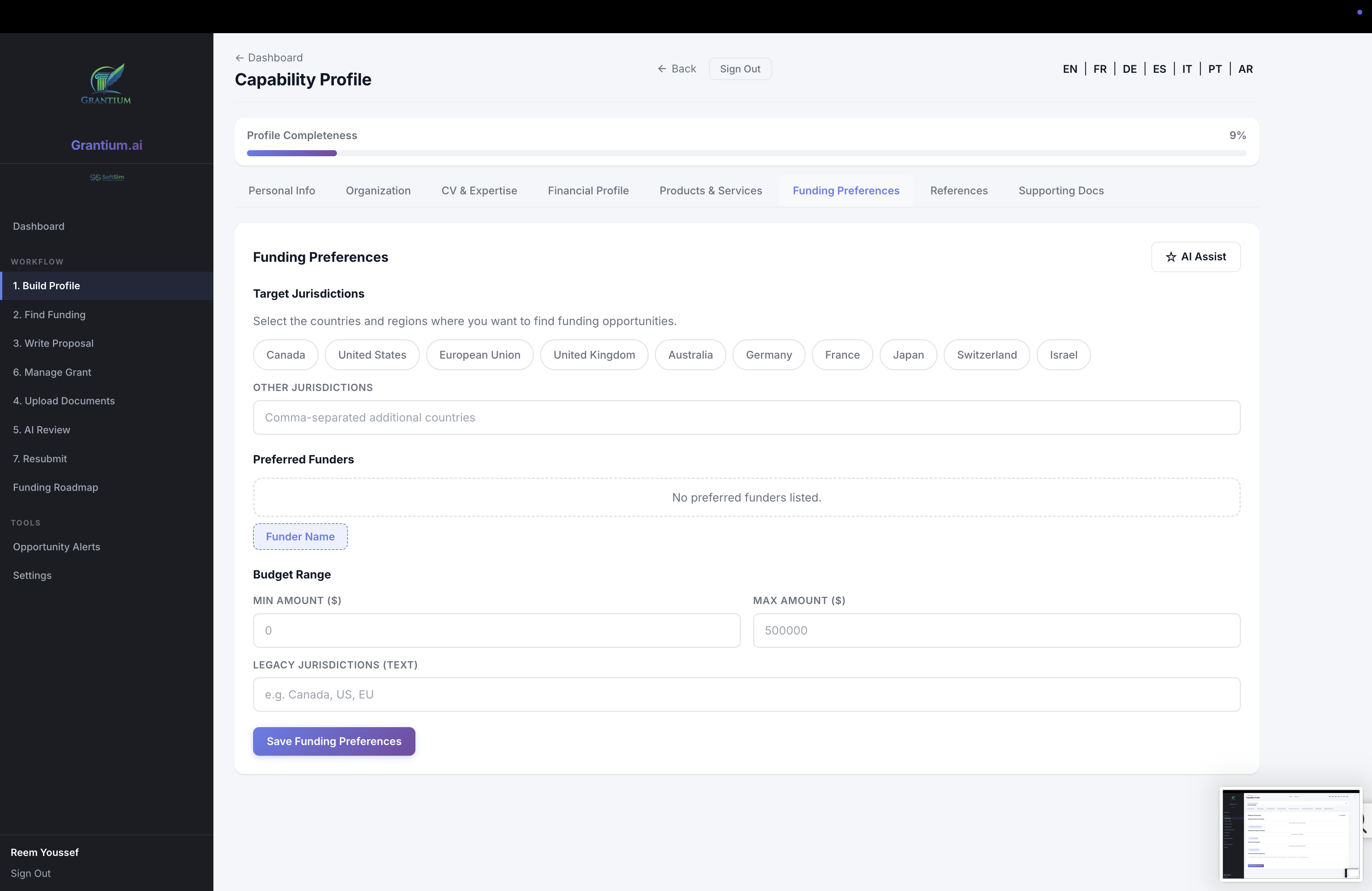
Funding Preferences with target jurisdictions, preferred funders, and budget range.
- Target Jurisdictions — Select countries/regions where you want to find funding (chip-based selection)
- Preferred Funders — Specific funders you're interested in
- Budget Range — Minimum and maximum funding amounts
- Legacy Jurisdictions — Additional jurisdictions not in the main list
4.7 References
Add collaborators, referees, and co-investigators who can support your applications.
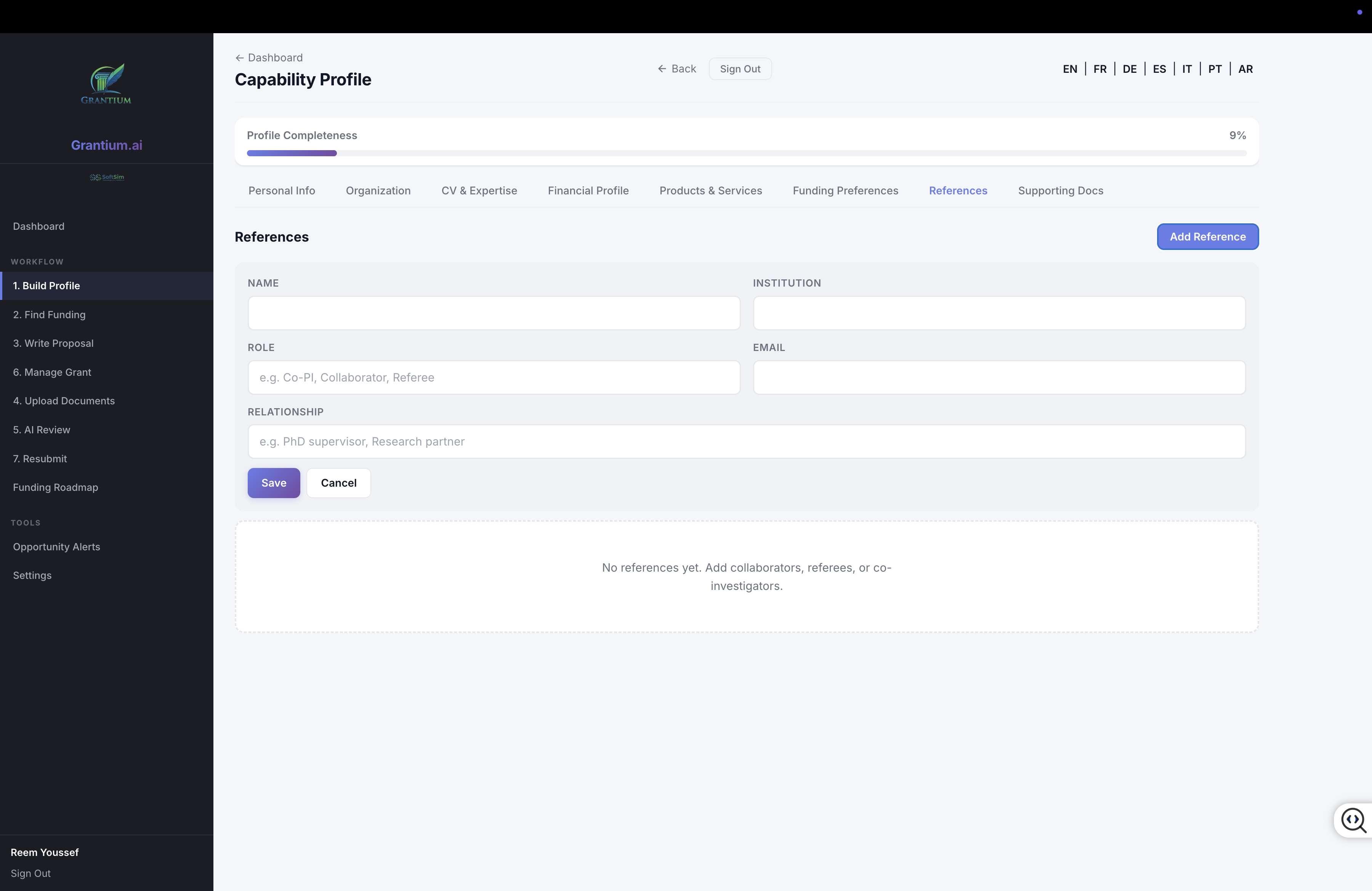
References tab for adding co-PIs, collaborators, referees, and co-investigators.
- Name — Reference's full name
- Institution — Their organizational affiliation
- Role — e.g., Co-PI, Collaborator, Referee
- Email — Contact email
- Relationship — e.g., PhD supervisor, Research partner
4.8 Supporting Documents
Upload important documents that may be needed for applications.
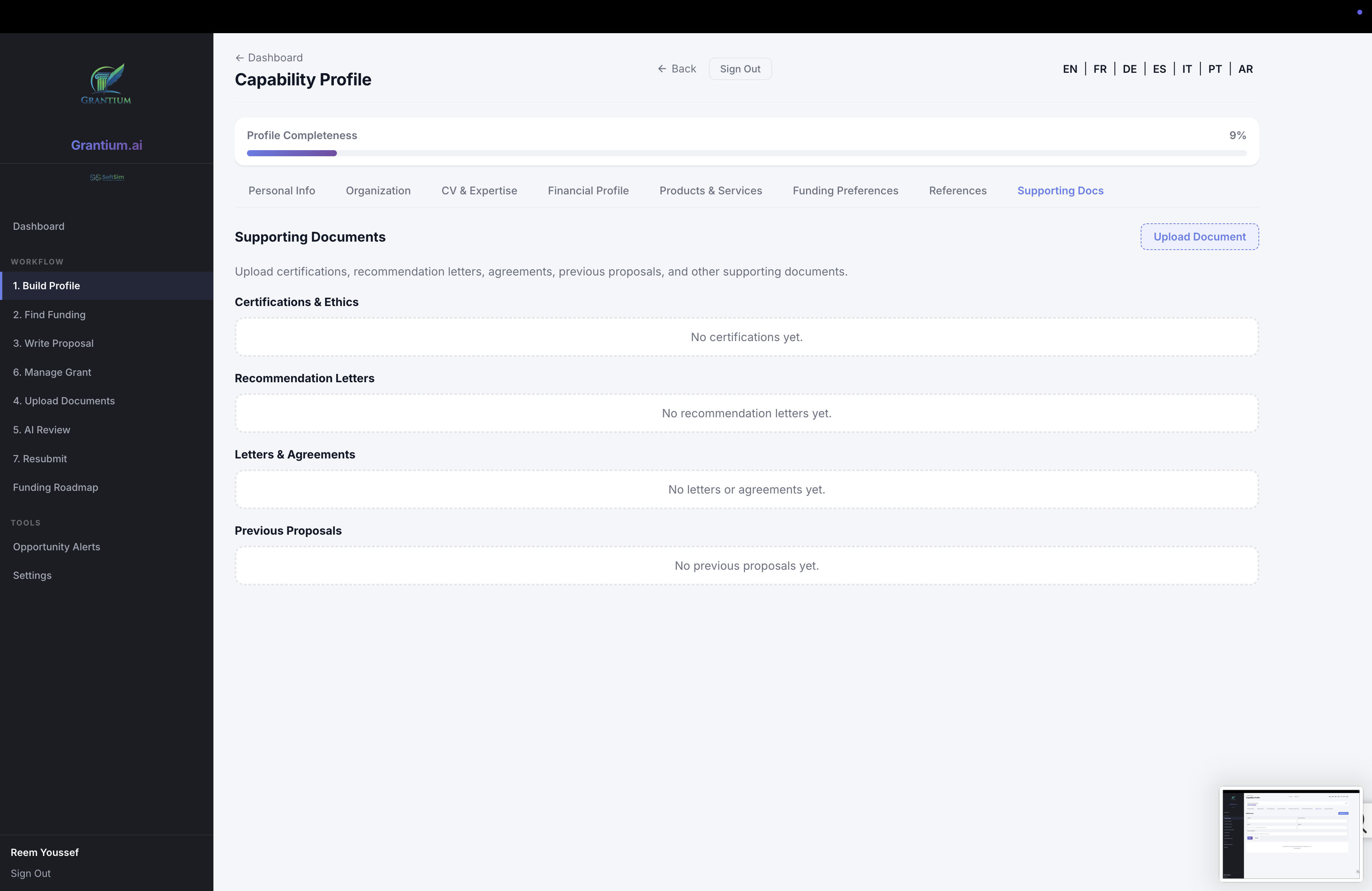
Supporting Documents organized into four categories.
- Certifications & Ethics — Ethics approvals, certifications, compliance documents
- Recommendation Letters — Letters of support from colleagues or supervisors
- Letters & Agreements — Collaboration agreements, MOUs, partnership letters
- Previous Proposals — Past submissions that can be referenced or reused
4 Finding Funding
The Find Funding page helps you discover relevant grant programs through three approaches: Browse, Search, and AI Matchmaker.
Browse by Funder
The Browse tab shows all funders organized by jurisdiction. Click on a country chip to filter, then expand any funder to see its available programs.
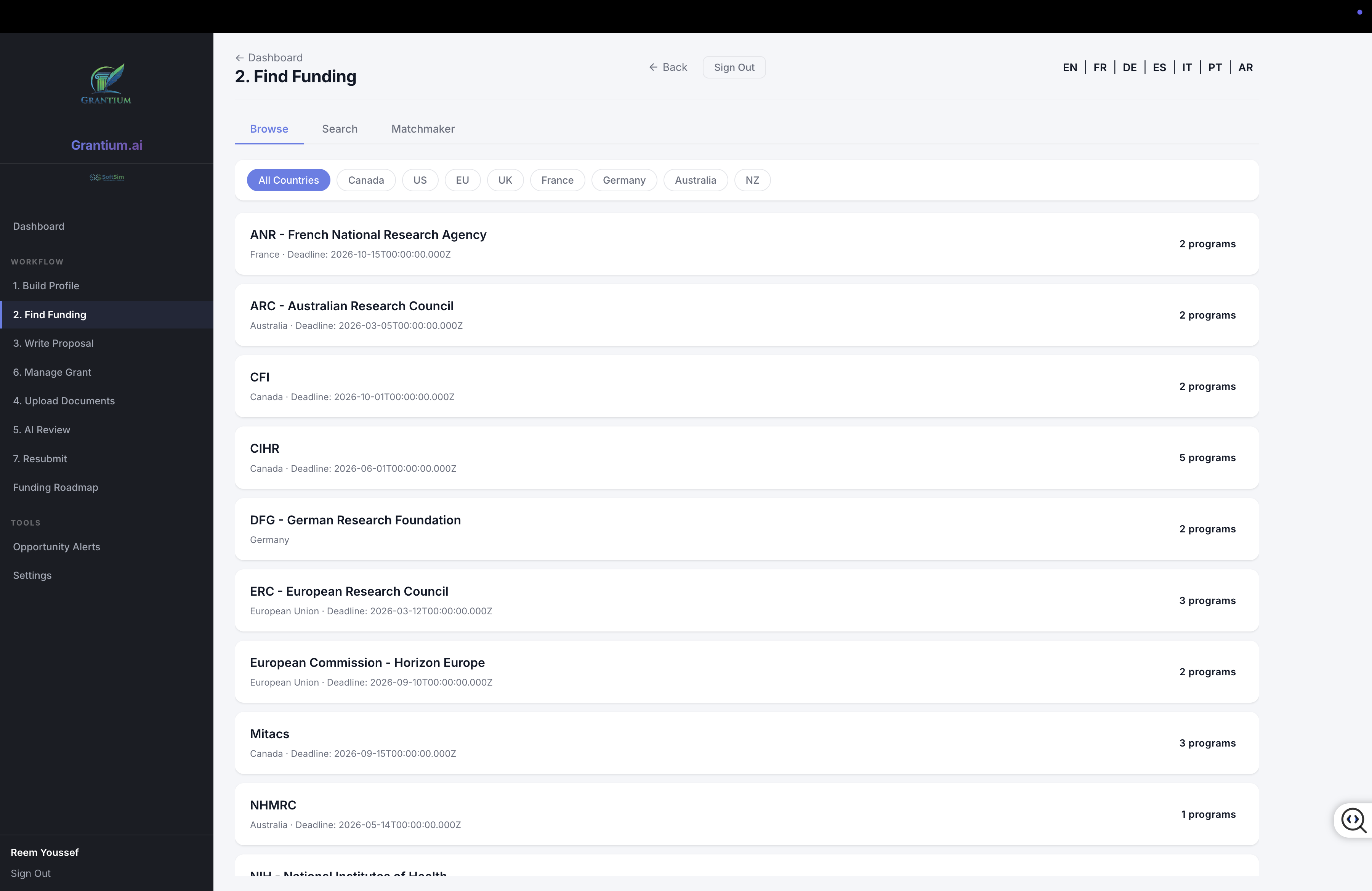
Browse tab with jurisdiction filter chips and expandable funder list showing program counts.
- Click jurisdiction chips (Canada, US, EU, UK, etc.) to filter funders
- Click a funder card to expand and see its programs
- Each program shows deadline, funding range, and status
- Click Check Eligibility for instant AI eligibility analysis
- Click Apply to start a new application for that program
5.1 Search & Filter
The Search tab provides powerful filtering across all programs in the database.
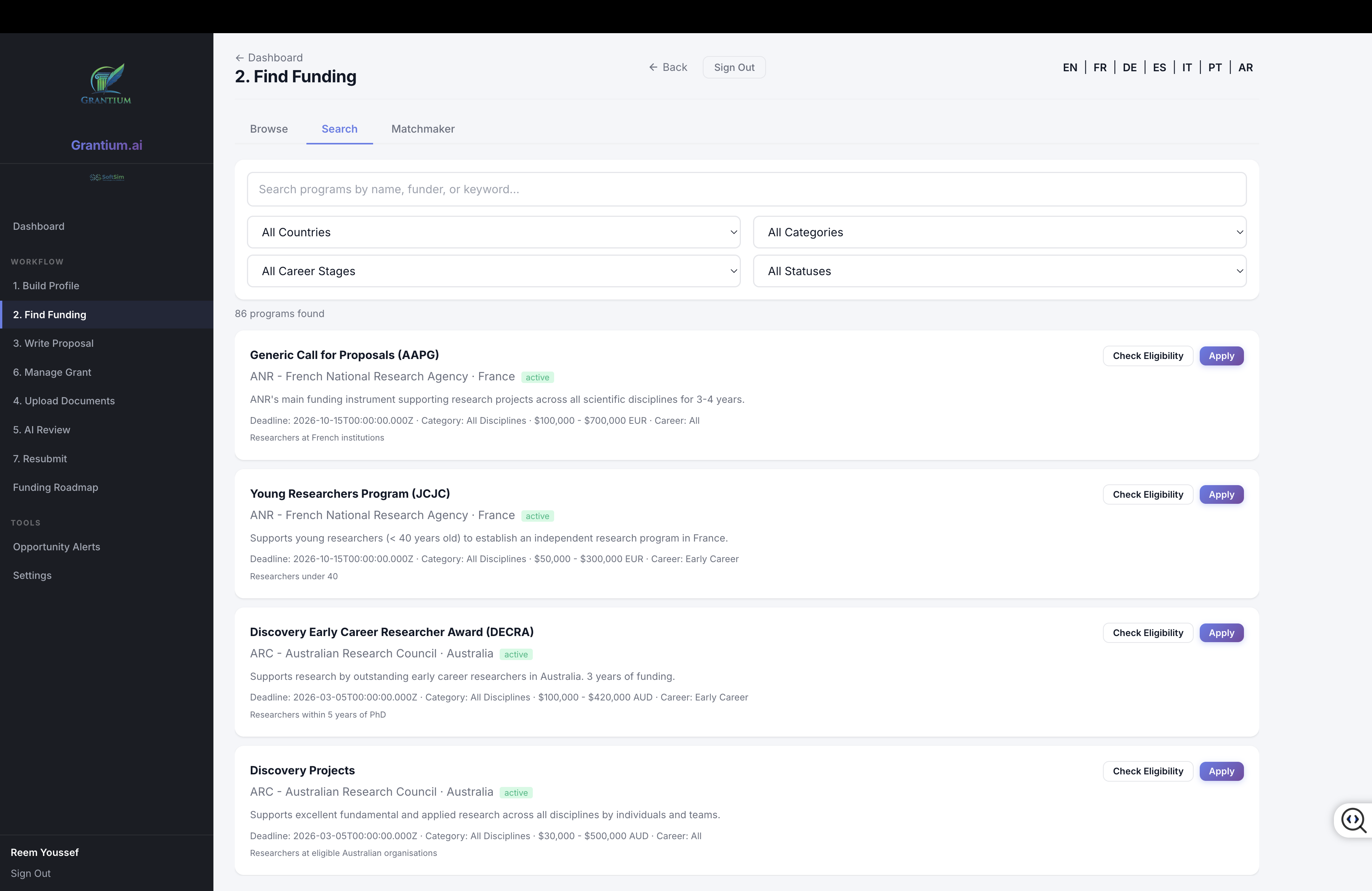
Search tab with 6 filter dropdowns and result cards showing 86 programs found.
- Text search — Search by program name, funder, or keyword
- Country filter — Filter by jurisdiction
- Category filter — Filter by discipline or category
- Career Stage filter — Filter by target career stage (Student, Early Career, Mid-Career, Senior)
- Status filter — Active, Upcoming, or Closed programs
Each result card displays the program name, funder, jurisdiction, status badge, description, deadline, category, funding range, and career stage.
5.2 AI Funding Matchmaker
The Matchmaker tab uses AI to find the best funding matches based on your research profile.
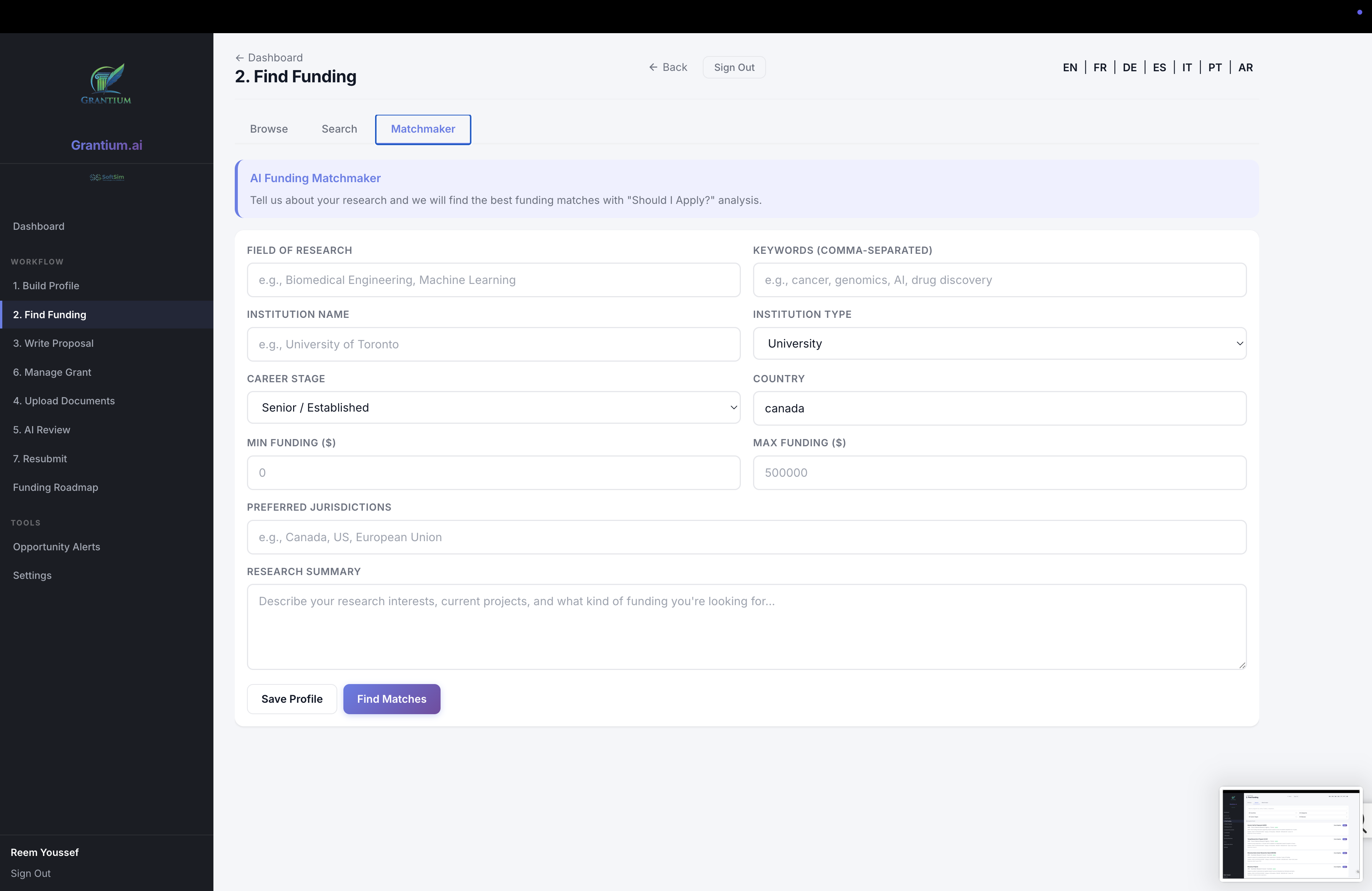
AI Matchmaker form with research profile fields for personalized funding recommendations.
- Fill in your Field of Research, Keywords, Institution, Career Stage, and Country
- Set your Funding Range (minimum and maximum amounts)
- Specify Preferred Jurisdictions
- Write a Research Summary describing your interests and current work
- Click Find Matches to get AI-ranked recommendations
The AI returns a ranked list of programs with:
- Compatibility Score — Percentage match to your profile
- Risk Level — Low, Medium, or High
- Strengths — Why you're a good fit
- Weaknesses — Potential concerns
- Recommendations — How to strengthen your application
- Strategy Advice — Overall funding strategy guidance
Tip: The matchmaker profile auto-fills from your Capability Profile. Keep your profile up to date for the most accurate matches.
5 Opportunity Feed & Alerts
The Opportunity Feed automatically monitors funding agencies for new opportunities, deadline changes, and policy updates. Events are detected via RSS feeds and webpage monitoring.
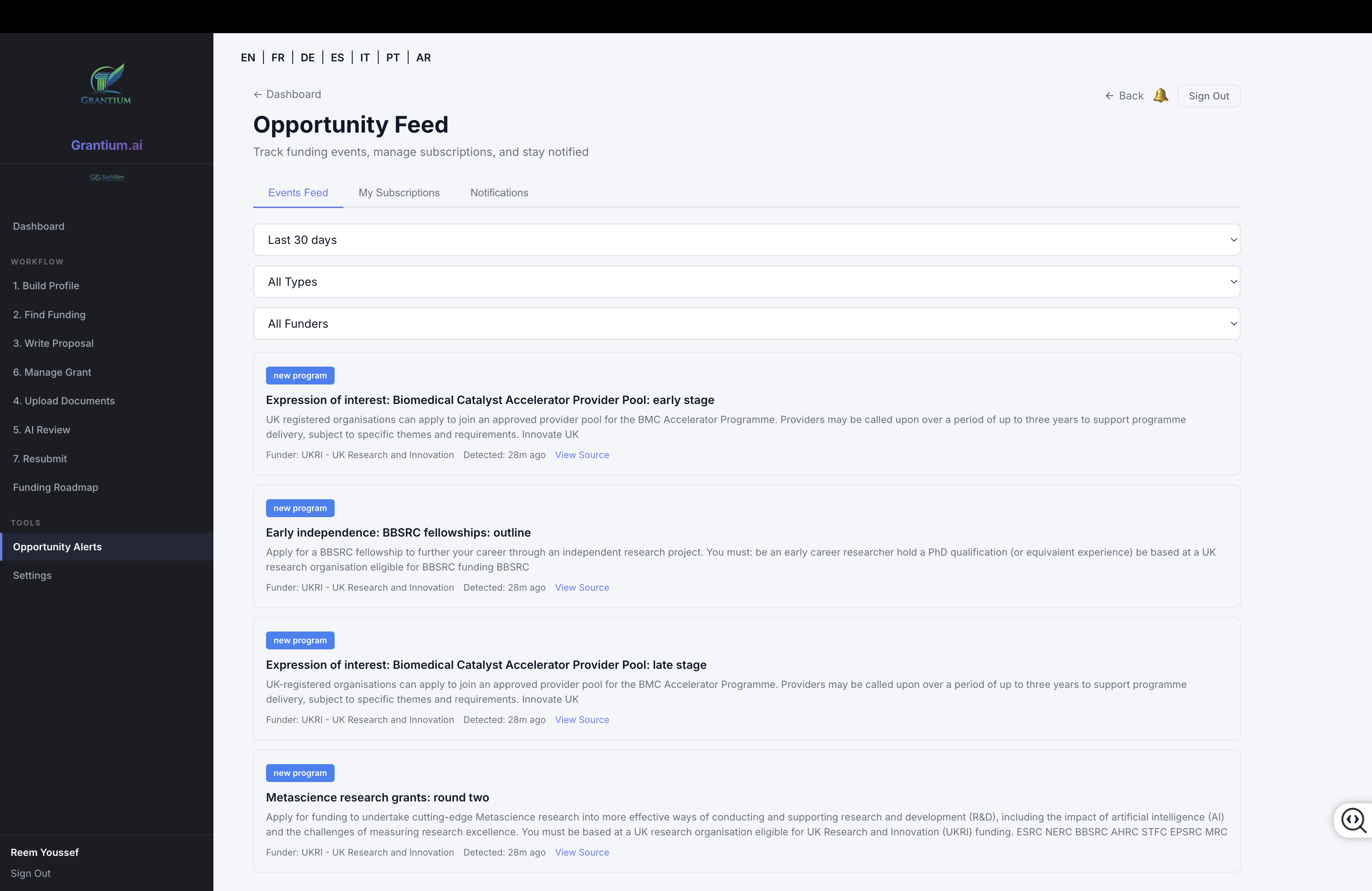
Opportunity Feed showing recently detected events from RSS-monitored funding agencies.
Events Feed
The Events Feed tab shows detected changes from monitored funding agencies:
- New Program (blue) — A new funding opportunity has been announced
- Deadline Change (red) — An application deadline has been modified
- Guideline Update (amber) — Funding guidelines or eligibility have changed
- New Call (green) — A new call for proposals
- Priority Shift (purple) — Research priority areas have changed
Filter events by time range (7/14/30/90 days), type, or funder.
Subscriptions
Create custom subscriptions to receive alerts for specific funders, jurisdictions, or keywords. Configure email and/or in-app notifications.
Notifications
View your notification history with unread indicators. Mark individual notifications or all as read.
Monitored Sources
GrantCore currently monitors these funding agencies:
- RSS Feeds (checked hourly): NSF, ERC, UKRI
- Webpage Monitoring (checked daily): CIHR, NSERC, SSHRC, NIH, Wellcome Trust, ARC, DFG
6 Writing a Proposal
Once you've created a bid and selected a funder/program, GrantCore provides AI-assisted tools for building your proposal:
- Document Upload — Upload supporting evidence, previous proposals, and relevant documents
- AI Gap Analysis — Identifies missing evidence in your application
- Compliance Checking — Validates your application against funder requirements
- AI Peer Review Simulation — Predicts reviewer reactions and scoring
- Issue Tracking — Manage and resolve issues found during review
The proposal construction workflow is designed to maximize your application quality and minimize the risk of rejection.
Tip: Use the AI Review feature before submitting. It simulates how peer reviewers would score your application, helping you identify and address weaknesses early.
7 Managing Awarded Grants
When your application is awarded, GrantCore becomes your Grant Operating System. The post-award module provides comprehensive tracking across 8 areas:
- Overview Dashboard — At-a-glance status of all grant activities
- Milestones — Track project milestones with due dates and completion status
- Deliverables — Manage required deliverables and outputs
- Budget — Track budget allocation, spending, and remaining funds
- Claims — Submit and track expense claims and reimbursements
- Tasks — Assign and manage tasks for your research team
- Reports — Generate progress reports, financial reports, and final reports
- Team — Manage collaborators with role-based access (Viewer, Commenter, Editor, Admin)
Note: The Grant Management module becomes available once an application's status is changed to "Awarded" in the system.
8 The GrantCore Workflow
The GrantCore workflow transforms grant writing from a chaotic, deadline-driven writing task into a structured, AI-augmented decision process.
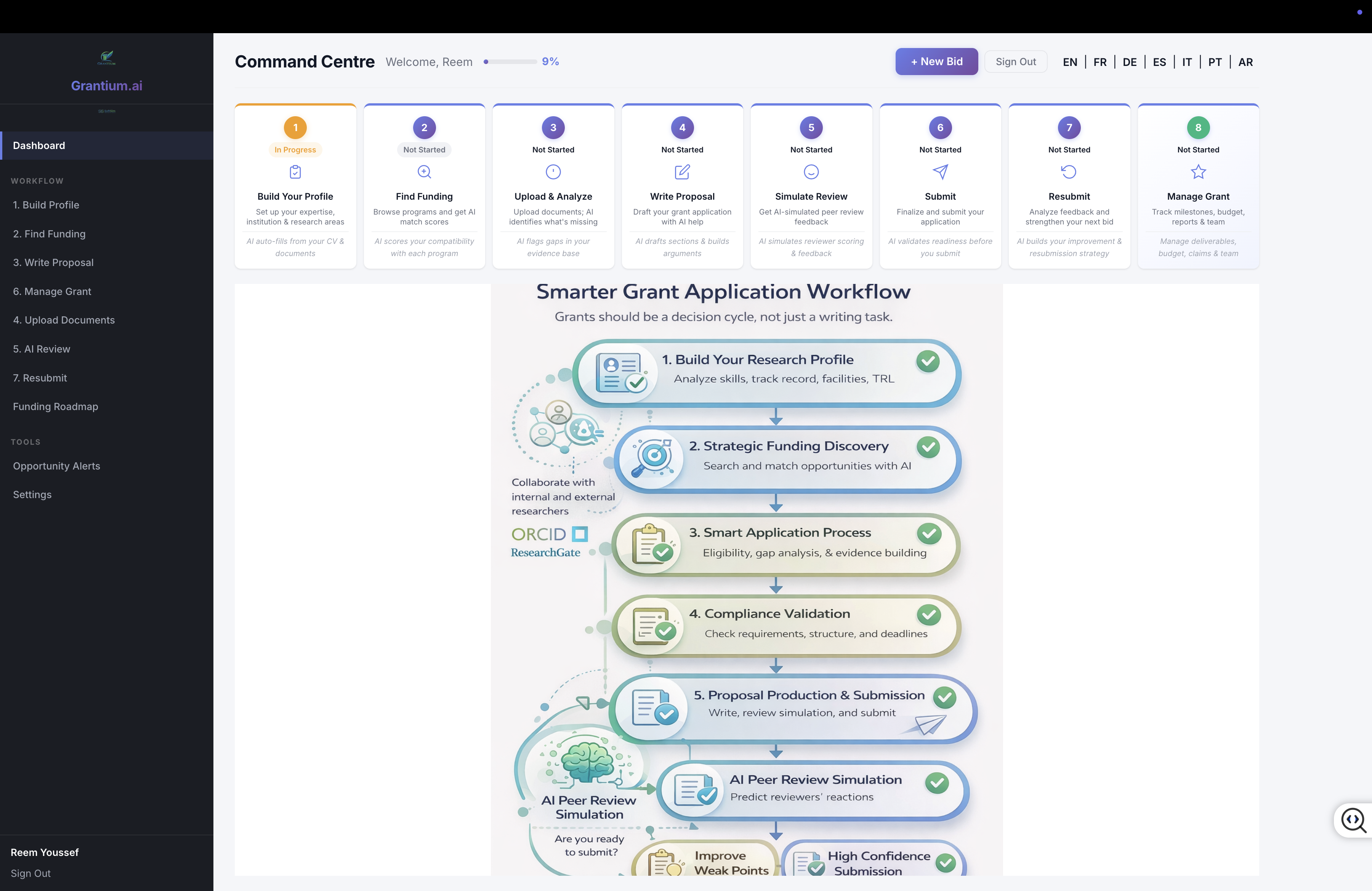
The dashboard view with the workflow infographic expanded, showing the complete GrantCore process.
The 5-Phase Process
- Build Your Research Profile — Analyze skills, track record, facilities, TRL. The AI auto-fills from your CV and uploaded documents.
- Strategic Funding Discovery — Search and match opportunities with AI. Collaborate with internal and external experts via ORCID integration.
- Smart Application Process — Eligibility checking, gap analysis, and evidence building ensure your application is complete and competitive.
- Compliance Validation — Check requirements, deadlines, and eligibility before submission.
- Proposal Production & Submission — Write, review, simulate peer review, and submit with high confidence.
AI Peer Review Simulation
Before submitting, the AI simulates the peer review process:
- Predicts reviewer reactions and scores
- Identifies weak points in your proposal
- Suggests improvements to strengthen your application
- Helps you decide: "Are you ready to submit?"
The result: Improved success rates and higher confidence submissions.
Settings & Support
Language
Use the language toggle in the top bar to switch between 7 supported languages: English, French, German, Spanish, Italian, Portuguese, and Arabic (RTL supported).
Account Settings
Access Settings from the sidebar to manage your account preferences, notification settings, and API integrations.
Canadian Common CV (CCV)
Canadian researchers can access the integrated CCV module to maintain their Common CV with 10 sections and 120+ fields. CCV data can be exported as PDF or XML and auto-attached to Canadian grant applications.
Getting Help
For support, contact SoftSim Technologies at [email protected] or visit grantcore.ai.